
Integration with OpenCart
Read this article in Ukrainian ⮕
The eSputnik plugin for OpenCart automatically handles the following technical setup:
- Contact transfer — real-time contact creation, update, and deletion, plus historical data import.
- Order transfer — real-time order creation and updates, plus historical data import.
- Web tracking — script installation and event tracking configuration (see the full list of events below).
- Web Push — domain registration, script installation, and Service Worker setup. You do not need to follow the steps from the standard Web Push setup guide — the only remaining step is to activate Web Push in your organization settings.
- Widgets: script installation.
- App Inbox — the plugin automatically reconfigures the script initialization and handles authentication token retrieval when the App Inbox toggle is enabled. No additional steps from the standard App Inbox guide are required.
Note
- Product Recommendations require additional setup on your site, while the technical configuration of the remaining tools is performed automatically by the plugin.
- Technical details about the plugin can be found in the public repository.
Supported Languages
The plugin is available in Ukrainian, Polish, Bulgarian, Romanian, Portuguese, Italian, German, French, and Spanish.
Downloading and Activating the Plugin
- Download the esputnik.ocmod.zip file.
- Log in to your OpenCart Admin Panel.
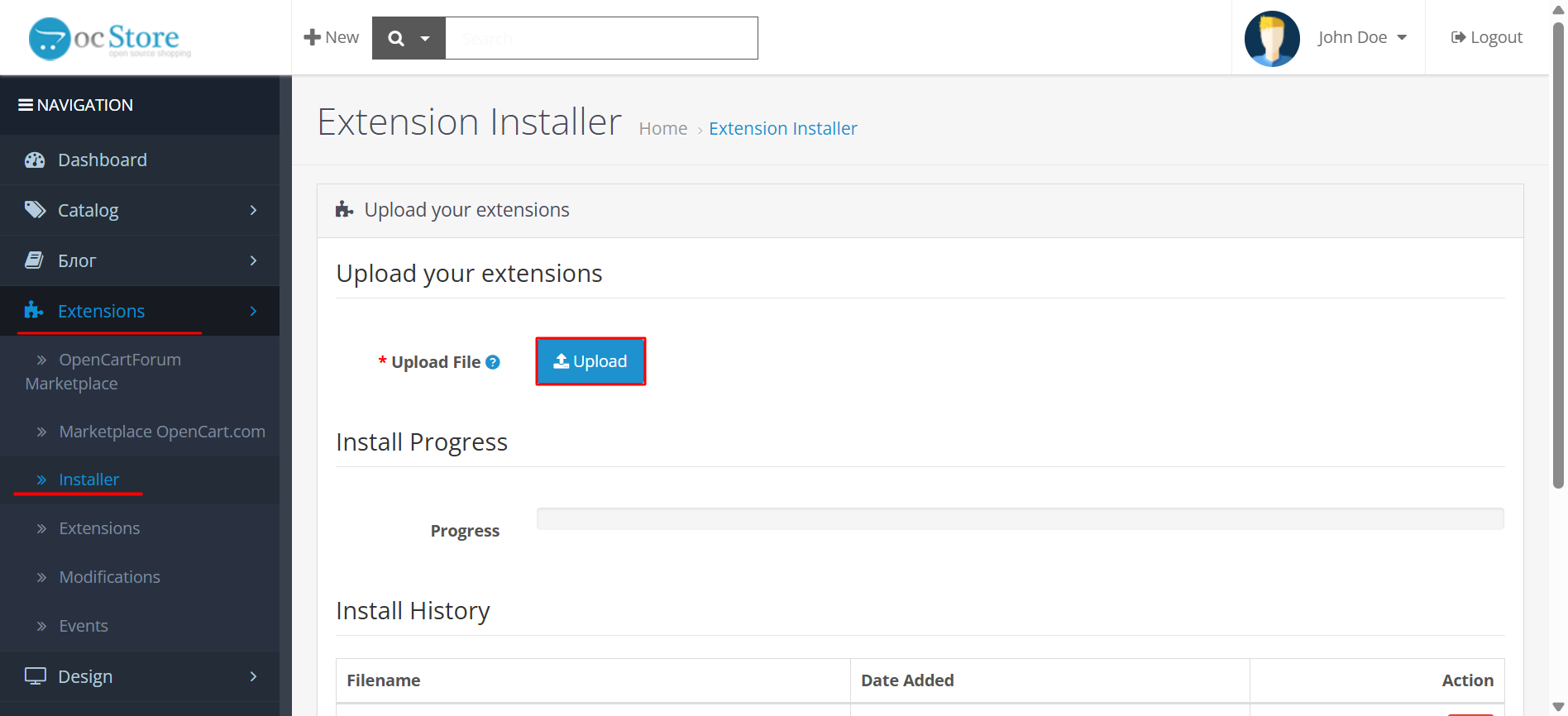
- Go to Extensions → Installer, click Upload, and select the downloaded file. Wait for the success message.
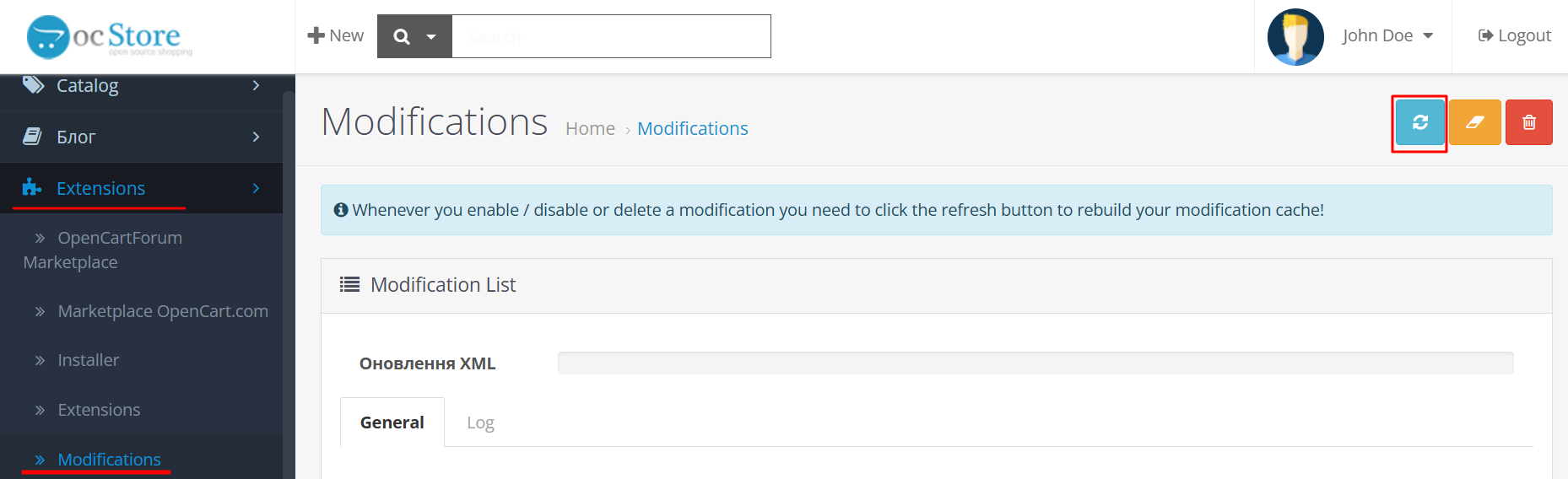
- Go to Extensions → Modifications and click the Refresh button (top right corner) to apply the changes.
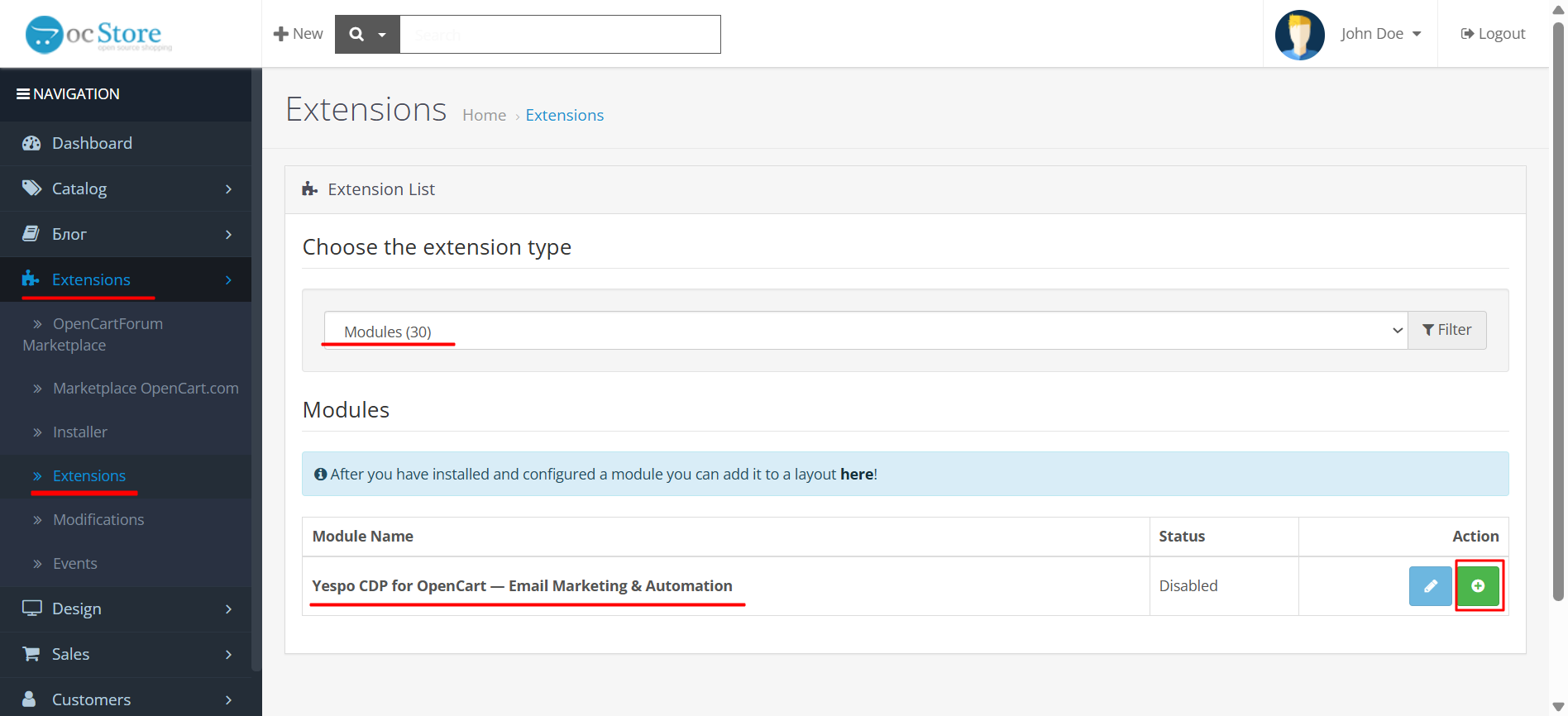
- Go to Extensions → Extensions and select Modules from the dropdown list.
- Find eSputnik CDP in the list and click Install.
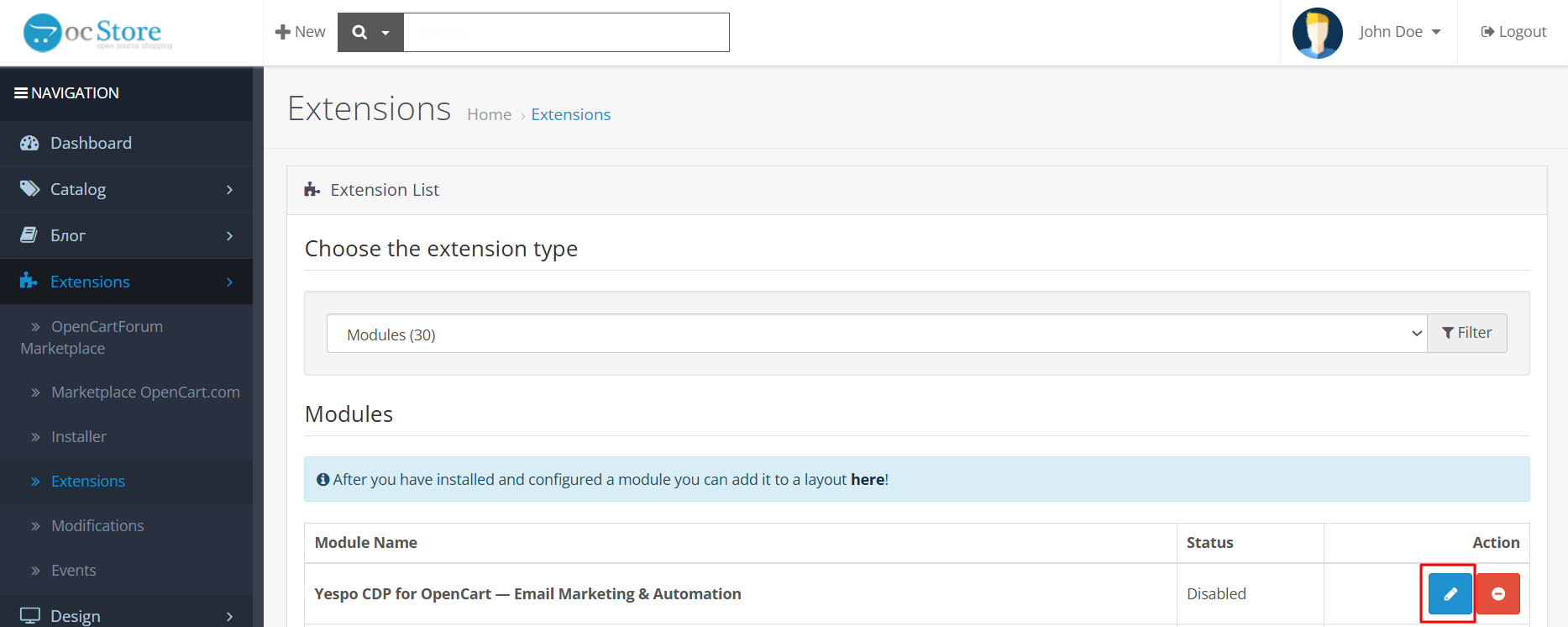
- Click Edit.
- Enter your Full Access to API key from your eSputnik account and click Synchronize.
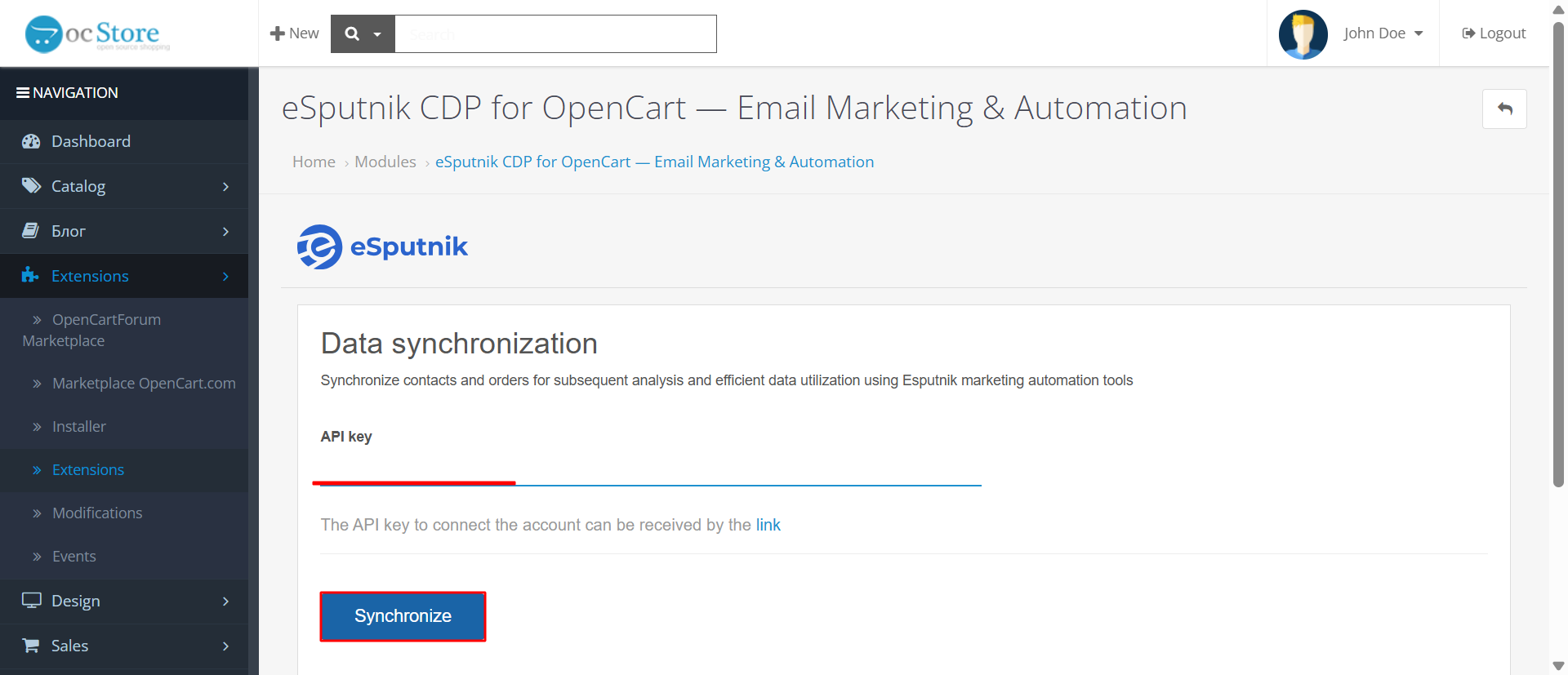
Enable App Inbox (Optional)
To use the App Inbox channel in your OpenCart store, enable this option in the App Inbox section.
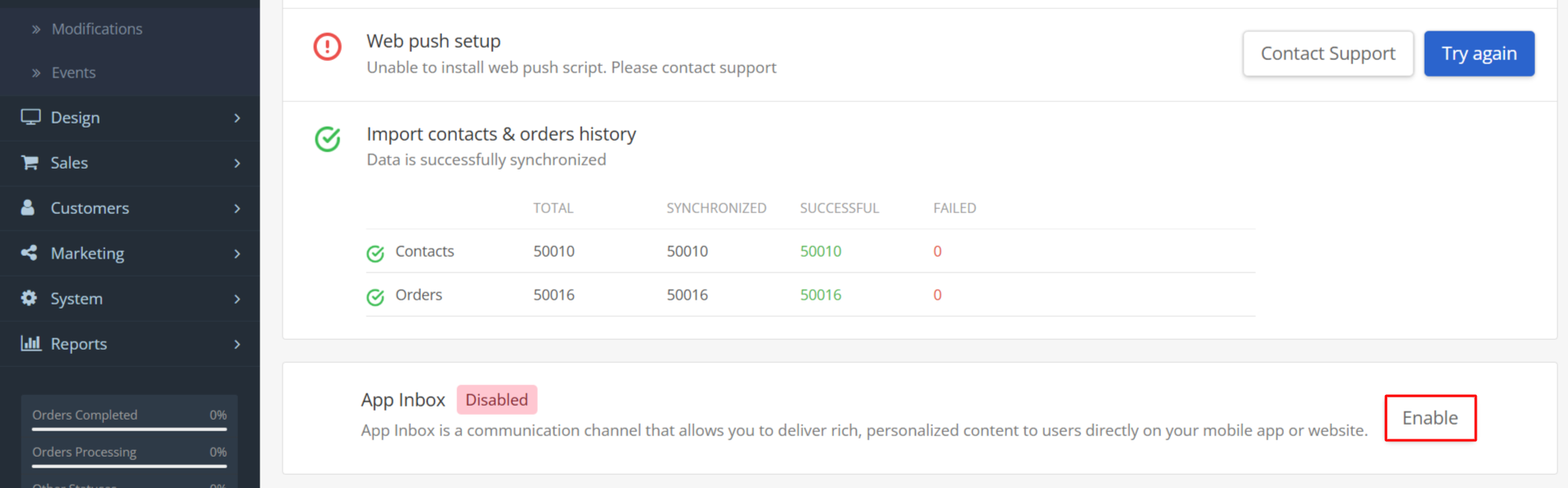
The plugin will automatically reconfigure the script initialization for App Inbox mode and handle authentication token retrieval — no manual setup is required.
All you need to provide to [email protected] is the CSS selector of the element on your site and the position of the bell icon relative to it: beforebegin, afterbegin, beforeend, or afterend.
<!-- beforebegin -->
<div class="your-selector">
  <!-- afterbegin -->
  element content
  <!-- beforeend -->
</div>
<!-- afterend -->
Updating the Plugin
- Go to Extensions → Modifications, find the Yespo CDP modification in the list, and delete it.
- Go to Extensions → Installer, click Upload, and select the new
esputnik.ocmod.zipfile. Wait for the success message. - Go to Extensions → Modifications and click the Refresh button (top right corner) to apply the changes.
Configuring Settings in eSputnik
Once the plugin is activated, go to eSputnik and set up Web Push, recommendations, and other marketing tools according to your store's strategy.
Events
The plugin automatically sends the following events to eSputnik:
| Event | Description |
|---|---|
PageView | Sent when a site visitor loads a website page. Default event, required for all other web tracking events to work. |
StatusCart | Tracks cart status. Used to trigger abandoned cart workflows and discount notifications for items left in the cart. |
PurchasedItems | Captures purchased items. Used for recommendations, upselling, and cross-selling campaigns. |
CustomerData | Sends customer data on registration, login, or checkout. Links site visitors to contacts in eSputnik for personalized campaigns. |
AddToWishlist | Captures when a product is added to the wishlist. |
StatusCartPage | Technical event used to detect the cart and checkout pages when StatusCart is transferred from the back end; not tracked as a separate event. Can be used to display recommendations on these pages. |
MainPage | Fires when the home page is viewed. Required for displaying recommendations on the site. |
NotFound | Fires when a 404 page is reached. Required for displaying recommendations on the site. |
ProductPage | Fires when a product page is viewed. Used for abandoned browse campaigns and discount notifications on viewed products. |
ProductImpression | Used to display impressions of recommendation blocks in Reports. |
SearchRequest | Captures the user's search query. |
CategoryPage | Fires when a category page is viewed. Used to send recommendations for the most popular products in the browsed category. |
NoteThe plugin works with base products. If your store uses OpenCart variations (e.g., size or color), they are not tracked separately — orders and events record the base product only (e.g.,
t-shirtrather thangreen t-shirt, size M).Prices and order totals reflect the actual amounts (including the selected variation).
In recommendations and triggered campaigns, the product name, image, URL, and price are taken from the base product according to the feed.
Uninstalling the Plugin
Uninstalling the plugin removes all configurations it created, including installed scripts and markings on the transferred data, so the next installation starts from scratch, like the first one.
Updated 2 months ago