
FAQ: Working with Contacts
How Many Contacts Do I Need to Send Campaigns?
The more contacts you have, the better, but there are no limits.
Can I Buy a Contact List from You?
No.
Our internal policies and the laws of most countries worldwide prohibit sending marketing messages to people who have not consented.
What If I Purchased the Contact List From Someone Else?
Third-party contact lists are always a big risk. For example, so-called spam traps (addresses registered by anti-spam services specifically to detect spammers) may be hidden in such lists. Email services, such as Gmail or Outlook, block domains that send emails to such addresses. Also, in this case, email services reduce the anti-spam reputation of our servers. So we moderate all campaigns and may require confirmation that contacts have consented.
How to Collect Contact List?
The subscription form on the website is the main source of new contacts for the online business. eSputnik offers you vast widget selection, thanks to which you can create and place a form on your website for free in a couple of clicks. New contacts will be automatically transferred to our system.
How Do I Make Sure My Mailings Don't Fall into the Spam Folder?
The easiest free way to get an idea of the email delivery to different services is to periodically create several test mail addresses in each domain and add them to the mailing list. You can estimate the overall picture by monitoring deliveries to these addresses. We also recommend registering with Google Postmaster and regularly monitoring the sender's reputation.
Could My Contact List Fall into the Wrong Hands?
This is excluded according to our service rules. Legally, we can reinforce the commitment by signing a non-disclosure agreement.
How to Create the Segment with All Contacts?
To create a dynamic segment that will automatically collect all available contacts in the account, follow these steps:
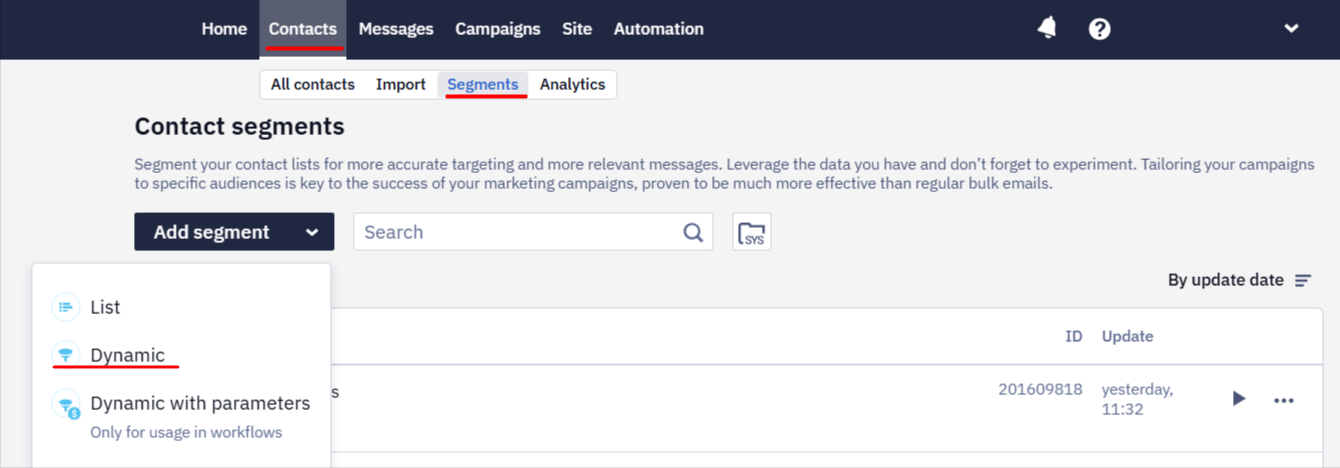
- Go to Contacts → Segments.
- Click the Add segment button and select Dynamic.
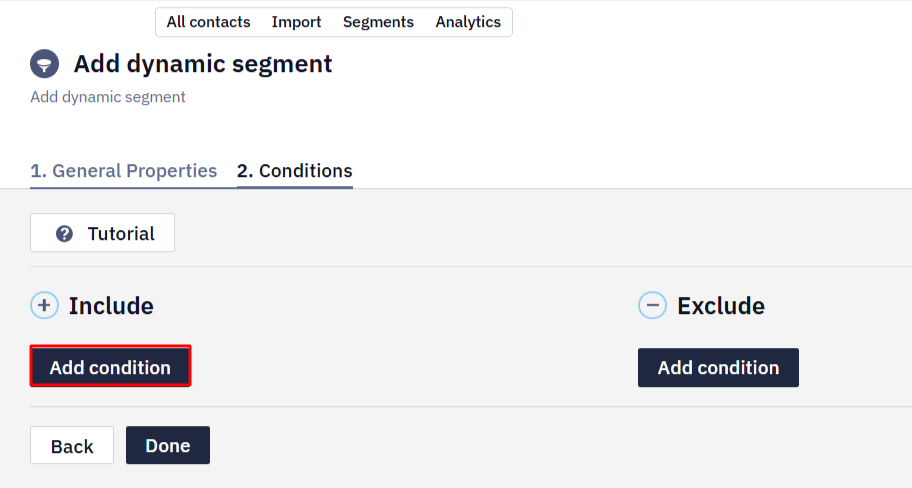
- Click Add condition in the Include section.
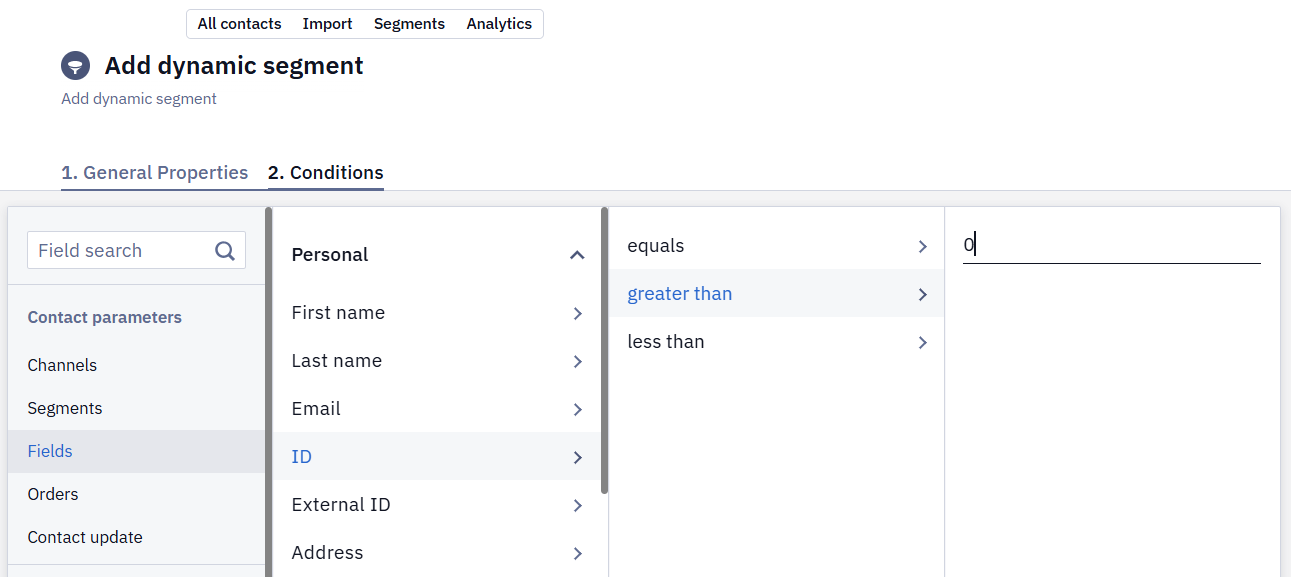
- Set the condition Fields → Personal → ID → greater than → 0.
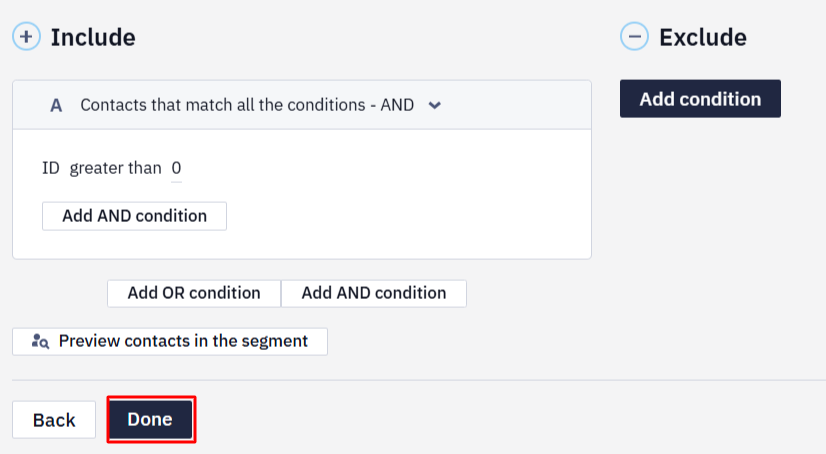
- Click Done.
Updated about 2 months ago